See every charge, right here
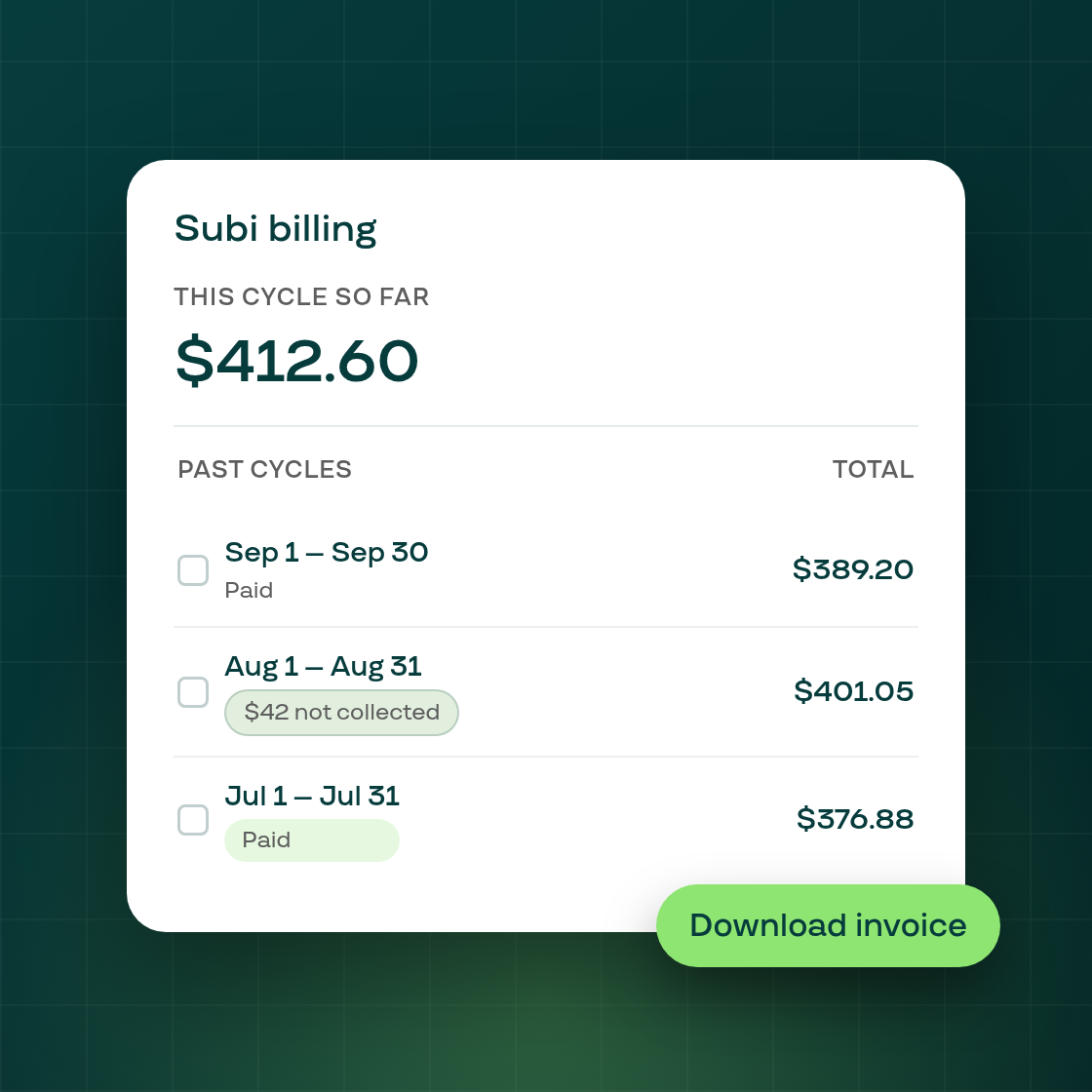
Settings > Subi billing now gives you a complete, cycle-by-cycle view of what Subi has charged your store.
The top card breaks down the current cycle's cost so far: a line for each fee, a single rate folded into a plain sentence like "0.3% of $X in sales, from N charged orders," any transaction fees Subi could not collect called out in their own box, and a running total for everything charged in the cycle to date.
Below it, a new Past cycles table lists every closed cycle with its status and total. Select a cycle, or several, to download its invoice as a PDF, or download more than one cycle's invoices together as a single zip file. Click into any cycle for its own details page: the date range, status, an invoice download when one is available, and the same line-by-line breakdown as the current cycle. A cycle whose amount hasn't been collected yet shows a "not collected" badge and its own explanation on the details page, rather than simply reading as paid.
This ships alongside several accuracy fixes to how cycles are tracked behind the scenes: the current cycle is now anchored to the same billing date Shopify itself uses, cycle numbers no longer skip or double up when Shopify's own billing period runs short or long, and a payment collected while catching up after a pause or freeze is now stored and shown as its own line, instead of being silently refused as a duplicate and dropped.
You will find this at Settings > Subi billing in your Shopify admin.