Know if your widget is live
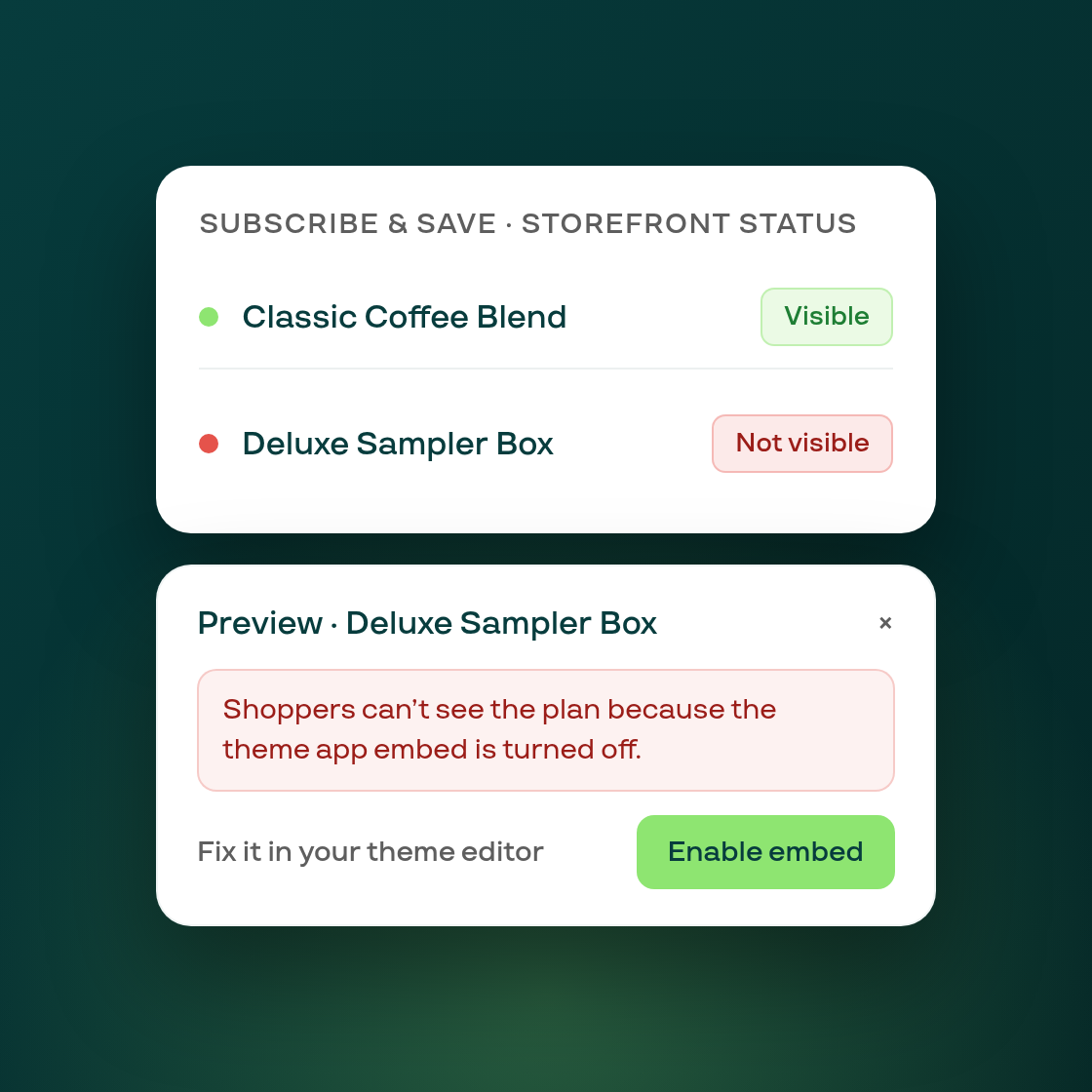
A Subscribe & Save plan living in Subi doesn't always mean shoppers see it on your storefront; a theme change, a missing app embed, or an unlinked product can quietly break the connection. Until now there was no way to tell from inside Subi.
Every live Subscribe & Save plan page now shows a status badge next to the plan name, reading the actual state of your storefront: whether the widget is showing, or whether something is stopping it. Subi checks this automatically after you create or edit a plan, attach products in bulk, or edit a product or variant, and whenever you open the plan page itself.
Clicking Preview opens a modal with the finding in plain language, a specific fix when there's a problem, a Check widget button to re-check right away, and Open product page to see it yourself. Fixes range from enabling the app embed in your theme editor to re-linking a product whose Shopify connection has drifted, which Subi can now do for you with a single "Save plan again."
Your Subi home page also picks this up: the subscription widget status tile now reflects a real check instead of always reading "unknown," and shows the reason when action is needed. During onboarding, Subi uses the same check to tell whether your widget actually made it onto your product page.
This is a read-only check of your own public storefront; it never changes anything there unless you choose to re-link a product yourself.