Quantity limits, enforced.
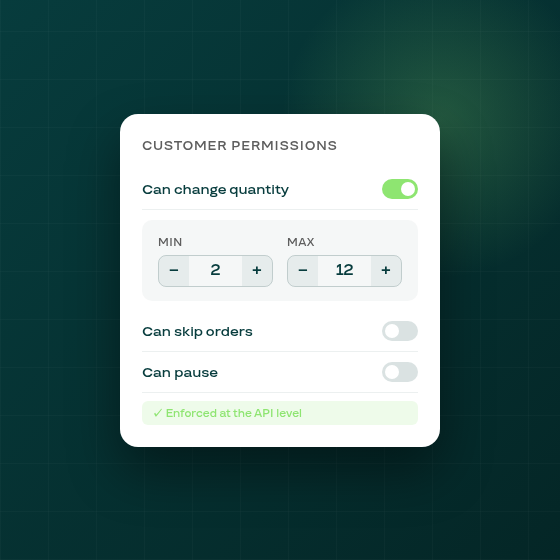
When merchants turn on the "Customers can change quantity" permission, subscribers could previously adjust their order quantity to any positive number. There was no way to prevent a customer from setting a quantity of 1 when the minimum order is 3, or from bumping it to an unreasonably large number.
That changes today. The "Customers can change quantity" permission now expands to show two new fields: a minimum quantity (required, defaults to 1) and an optional maximum quantity. Both are enforced by the backend API, so the portal cannot exceed or undercut the range regardless of how a request is made.
What you can now configure:
- Set a minimum to ensure subscribers always receive at least a set number of units per order.
- Set a maximum to prevent runaway quantity increases. Leave it blank if you want no upper bound.
- The portal displays a stepper that only allows values within the allowed range; any attempt to submit an out-of-range quantity is rejected.
A long-standing portal bug is also fixed as part of this release. The quantity field in the customer portal was effectively uneditable on most devices: typing a new number over an existing one would snap back to the original value, and the field rejected non-digit keystrokes silently. The portal now uses a proper stepper component that accepts typed input correctly on desktop and mobile.
The bounds apply immediately once you save the permission settings. No subscriber action is required. Existing subscriptions that already carry a quantity outside your new range are not automatically adjusted; the bounds apply only to future portal edits.