Loyalty emails, your choice.
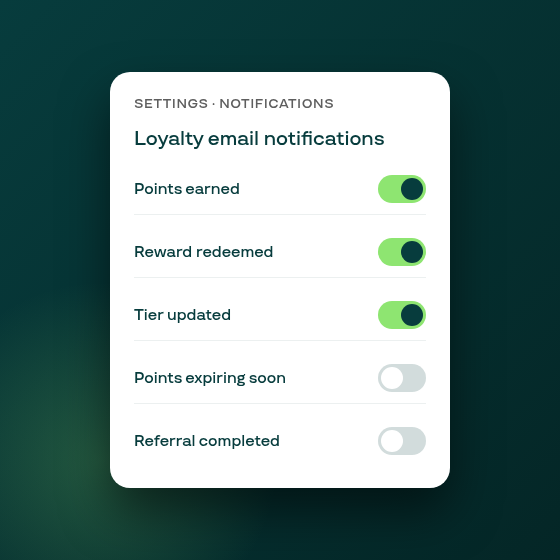
Five new per-event toggles in Settings control which loyalty emails Subi sends to customers automatically. You can silence any notification type while keeping the rest active, making it straightforward to align Subi's loyalty emails with your existing email flows.
Find the controls under Settings → Notifications → Email, in the Loyalty email notifications card. Each event type has its own on/off switch: Points earned, Reward redeemed, Tier updated, Points expiring soon, and Referral completed.
For each toggle, a Preview button opens the actual email template that customers receive for that event, so you can see exactly what goes out before deciding whether to keep it active.
The toggles are independent: disabling points-earned notifications has no effect on tier-change or reward-redemption emails. Each change affects new sends immediately after you save; emails already in flight are not affected.
When does this help? If your store uses Klaviyo or another email platform for loyalty communications, you may want to turn off Subi's built-in loyalty emails to avoid double-messaging customers. Or you might find that some event types warrant a notification while others do not.
Loyalty notification controls are available to all merchants with the loyalty programme active.