Translations, always reachable
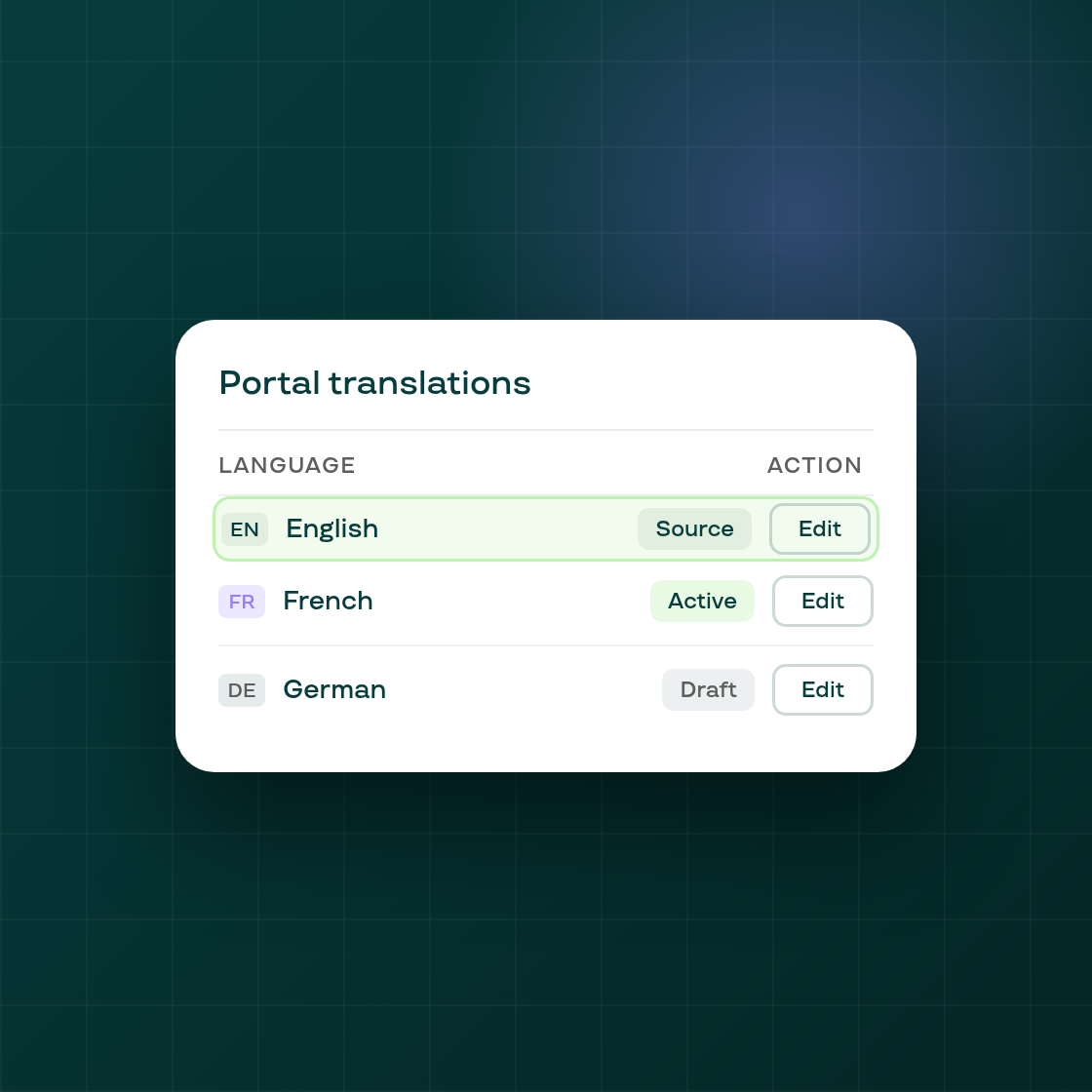
A small but frequently hit friction point in the portal translations editor is now fixed. Previously, the English (source) row could disappear from the translations table when a store hadn't activated additional languages or published English as the only locale. That made it hard to find and edit the default portal copy — merchants had to activate a language they didn't need just to reach the English text.
The English row is now always visible in the portal translations table, regardless of whether translation is activated or how many languages your store supports. It stays at the top of the table so it is always reachable.
What changes for your workflow
Single-language stores: The English row appears even if you publish only English. Clicking Edit on it opens the portal customization modal — the same editor you reach from the Customize appearance button — rather than a locale editor, since English is the portal's own copy rather than a translation of it.
Multi-language stores: The English row appears above your locale rows. The activation card and the no-languages banner remain visible above the table so the flow for adding new languages is unchanged.
Permission-locked stores: The Customize appearance and Translation actions on the portal management page are now always visible. On a plan that doesn't include the CUSTOMIZATION permission, clicking either action opens the upgrade modal instead of quietly doing nothing. This makes it clear what a plan upgrade unlocks rather than leaving the button looking broken.
No settings changes are needed. The English source row will appear automatically the next time you visit Subscriptions → Customer portal → Translations in your Subi admin.