Pick exact variants as you build
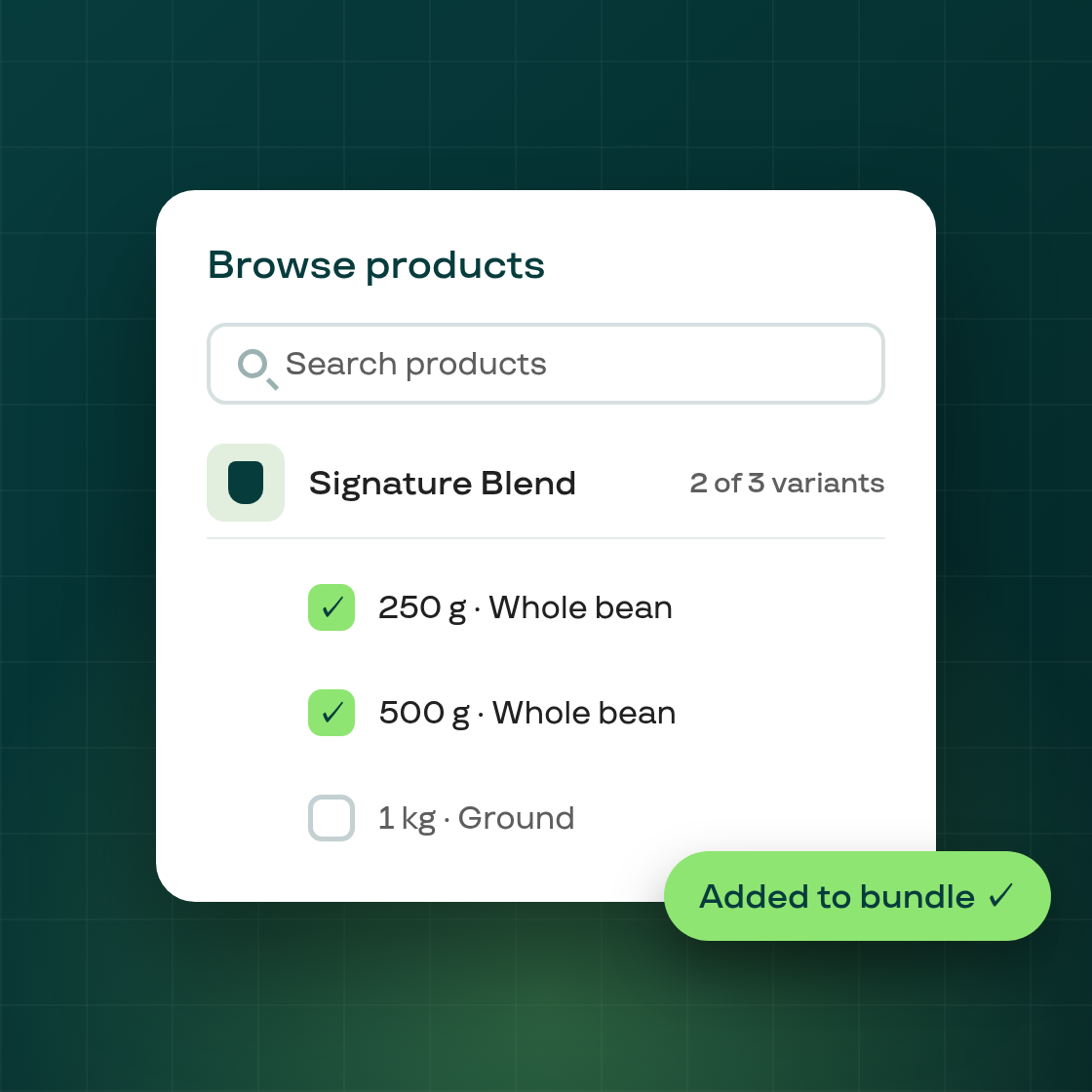
Fixed Bundles let merchants sell a curated set of products as a single recurring subscription. Until now, if you wanted to restrict a bundle to specific variants — say, only the blue colorway of a product, or only the 250g size — you had to add the full product first, then visit the variant-exclusion table to remove each unwanted option one at a time. For products with many variants, this was slow.
Merchants can now make that selection in the moment they add a product. When browsing products to include in a Fixed Bundle plan, the selection modal shows each product's individual variants. Check the variants you want to include; leave the rest unchecked. The bundle is updated with those restrictions once you save.
A few things to know:
- The model is the same. Variant selections made in the browse modal and variant exclusions set in the exclusion table use the same
permitted_variant_idsdata model, so both views stay in sync. Existing bundles configured through the exclusion table are unaffected. - Modal and table agree. Variants selected in the modal are immediately reflected in the exclusion table. The shared data model means there is one source of truth for both views.
- No plan type changes needed. The feature is available on all Fixed Bundle plans and is on by default for all merchants.
This update also includes a data-isolation fix in bundle plan updates: bundle item changes are now scoped to the owning shop, preventing a plan edit from inadvertently affecting another shop's bundle items.
The improvement is now live for all merchants. The flag fixed_bundle_variant_selection has been fully rolled out to production.