New
Quantity tiers, on the product page
Subscriptions & PlansStorefront Widget
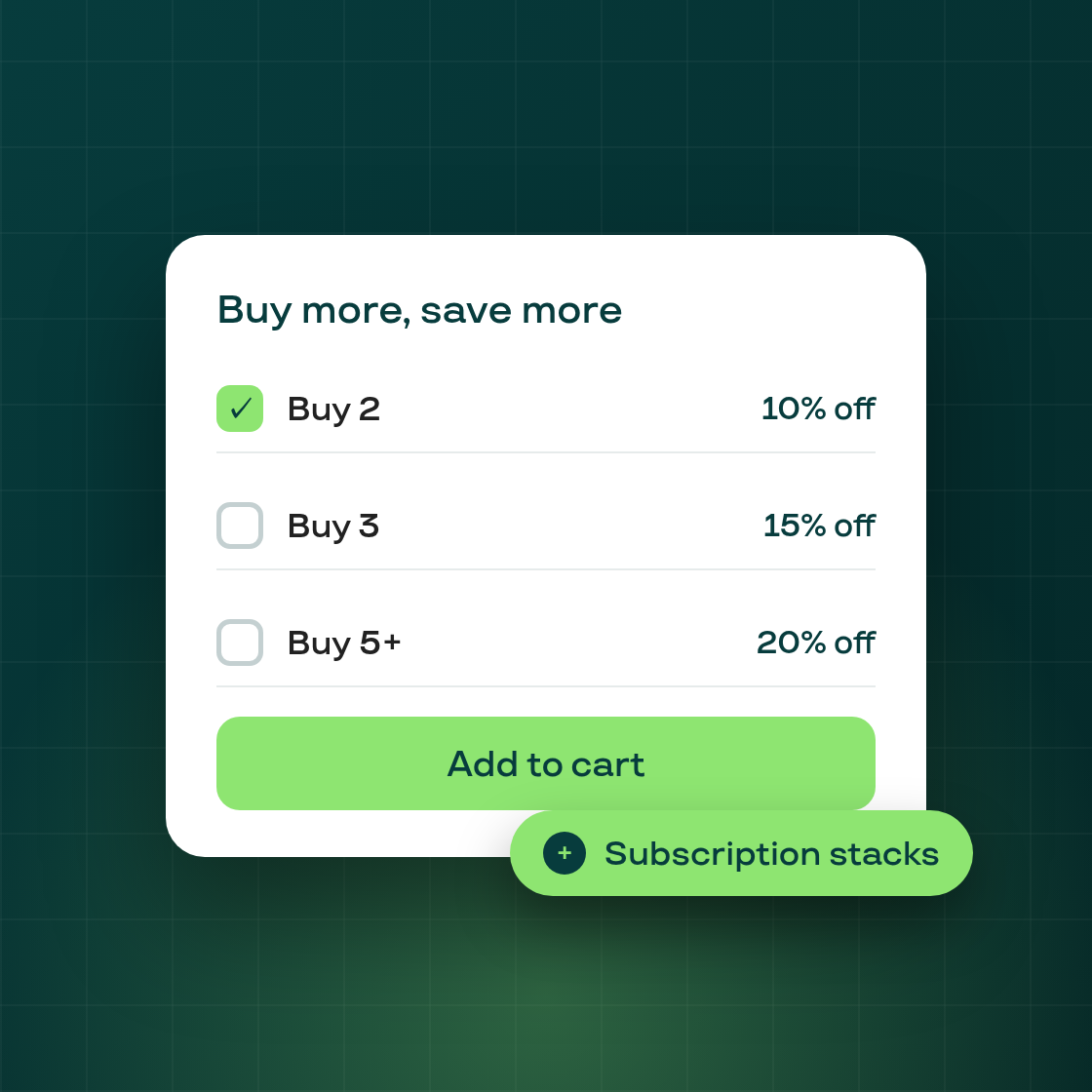
Offer tier-based discounts directly on the product page — buy more, save more — with subscription discounts stacking on top. No more quick-checkout-link workarounds or hidden-widget tricks.
How it works
- A new plan type, Volume Discount, in Selling plans → New plan. Define quantity tiers — minimum/maximum quantity, the discount, and a label — and optional billing intervals.
- The storefront widget shows the tiers along a savings track with each tier's discount and a live subtotal. Your theme's native quantity stepper stays in sync with the selected tier.
- At checkout the tier discount is applied automatically to the right line — the rest of the cart is untouched. Below the smallest tier minimum, no discount applies.
- When the customer also picks a recurring frequency, the subscription discount stacks on top of the tier discount.
- If a product is covered by both a regular subscription plan and a Volume Discount plan, the Volume Discount widget takes over on that product page so customers see one clear offer.
Coming next
Quantity editing for volume-discount lines in the customer portal, and an optional "lock to tier quantities" mode (visible in the plan form as coming soon).