Anchor dates, enforced
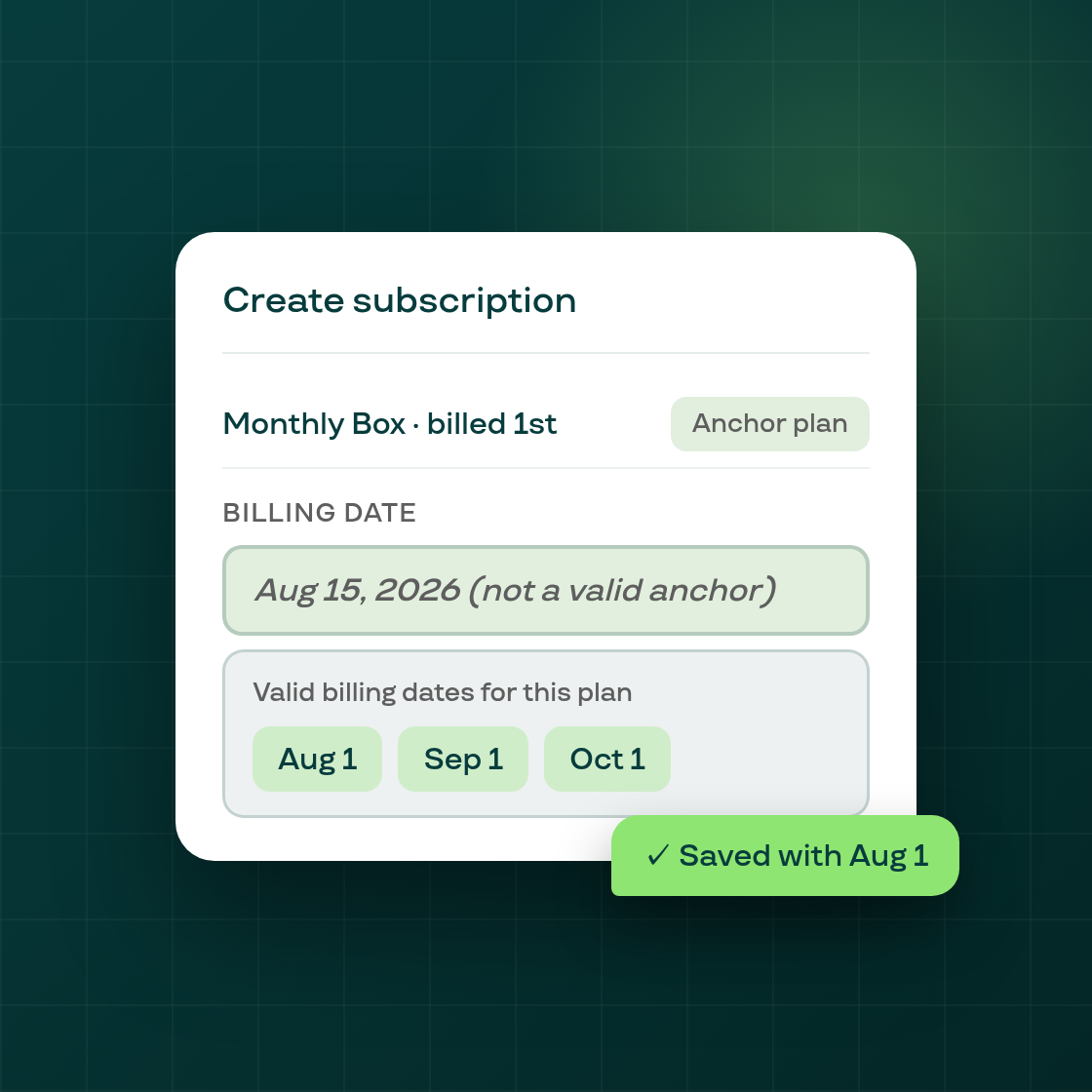
When you create a subscription manually and the selling plan has billing anchors, Subi now validates the billing date before saving and tells you exactly which dates are valid.
Billing anchors and why they matter. Many subscription plans are configured with billing anchors — fixed calendar dates when orders are always generated (for example, the 1st of each month, or the 15th and 30th). Anchors keep an entire cohort of subscribers billing together, which simplifies fulfilment, inventory, and cash flow. A subscription created with a billing date that falls outside the plan's anchors breaks that cadence for that contract.
What changed. Previously, attempting to save a subscription with an off-anchor billing date could produce a confusing result or silently store the contract in an unintended state. The form offered no indication that the chosen date was incompatible with the plan.
Now, when you select a billing date that does not match the plan's anchors, the save is blocked before any contract or payment is created. An inline error appears directly on the billing date field, naming the valid anchor days for that plan. Select one of the listed dates and save normally.
This applies to all billing anchor types Shopify supports — day-of-month, day-of-week, and year-day — including plans with multiple anchors per month or quarter.
If you create subscriptions manually and use plans with billing anchors, you may see this validation for billing dates that were previously accepted. Choose the nearest valid anchor date to proceed.